
Updated: November 2026
If you want Google — and the AI answers sitting on top of Google — to quote your website, structure beats slogans. Clear headings, plain definitions, and named entities (your service, your town, your proof) give both people and machines something solid to extract. That is as true for a Clermont web design page as it is for a national publisher.
Google’s own guide to optimizing for generative AI features on Search says the quiet part out loud: classic SEO still applies to AI Overviews and AI Mode. You do not need a separate “AEO hack.” You need pages that are crawlable, useful, and organized so a reader can find the answer fast.
What “citeable” means on a small-business site
A citeable page states facts a stranger could repeat without guessing. Who you are, what you do, where you work, how the process works, and what it costs or takes — written in complete sentences near the top of each section. Vague marketing (“we’re passionate about excellence”) gives AI systems nothing trustworthy to ground an answer on.
Google also reminds owners that generative AI features still pull from the same index and quality systems as regular Search. See Google’s overview of AI features and your website. If a page cannot earn a normal snippet, it is unlikely to help an AI answer either.
How to structure a page so AI and Google can cite you
1. One job per page
Give each important service its own URL. A focused Clermont web design page beats a catch-all homepage paragraph that mentions twelve services. The same idea applies to online marketing and other offers: name the service the way customers search.
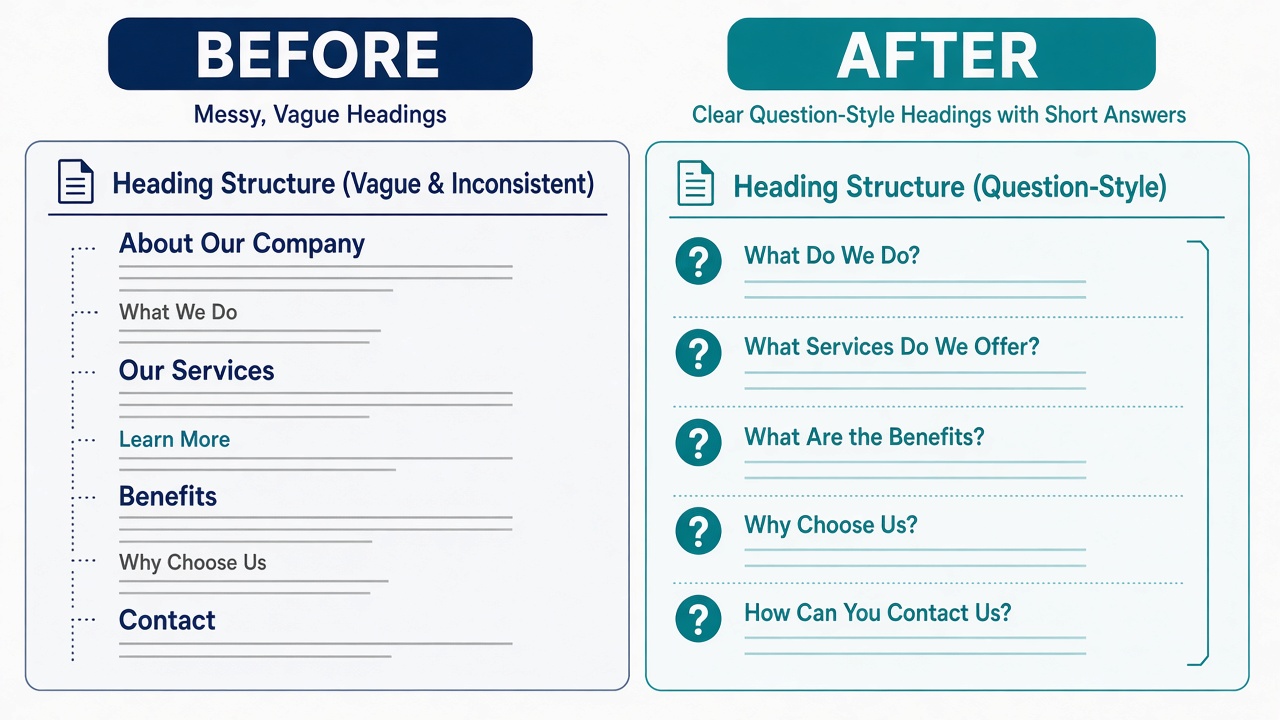
2. Headings that match real questions
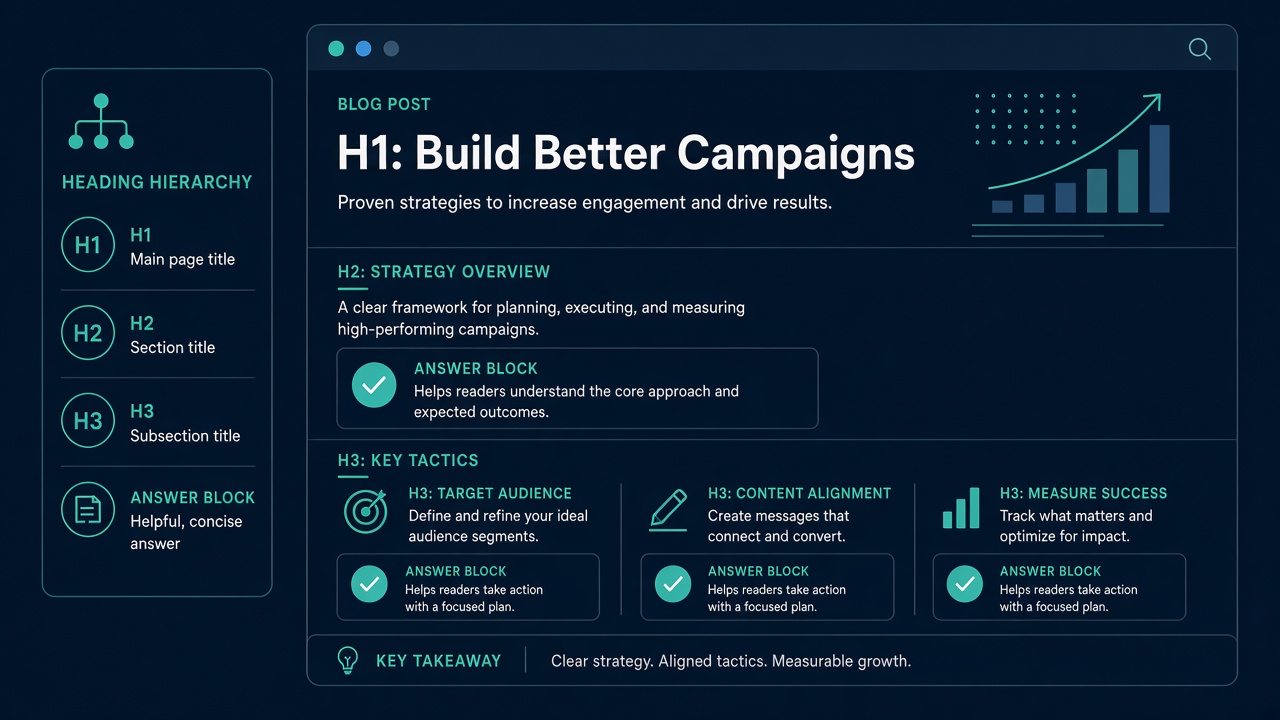
Use one H1 for the page topic. Use H2s for the questions people actually ask on sales calls — cost, timeline, process, service area. Put the direct answer in the first one or two sentences under each heading, then add detail. Google’s AI optimization guidance specifically praises organizing content with clear sections and headings for human readers — not “chunking” content into tiny AI-only fragments.
3. Define terms and name entities
Spell out what you mean by web design, hosting, or online marketing the first time you use the phrase on the page. Include concrete entities: Skillful Antics, Clermont, Lake County, Central Florida, WordPress, and the specific deliverable (for example, a three-page starter site). Entities and definitions are easier to extract than pronouns and slogans.
4. Show proof next to claims
When you say you build sites for local businesses, point to a portfolio piece, a review, or a process step. First-hand detail is the opposite of commodity content — another theme in Google’s helpful, people-first content guidance.
5. Keep a visible FAQ people can read
FAQ rich results were deprecated in Google Search during 2026, so do not chase FAQ schema for special stars. Still keep a short FAQ on the page. Humans skim it, and answer engines can still use clear question-and-answer pairs in the HTML. Write real questions, not keyword stuffing.
6. Stay eligible for AI features
Make sure the site can be indexed with snippets, stays included in Search generative AI features in Search Console, and remains fast and mobile-friendly. We covered Google’s generative AI performance report and the site-wide AI control in Google’s new AI search report for small businesses, and the bigger foundations story in how Google and AI search both use your website.
Recent Google updates worth knowing (fall 2026)
- A shared AI-training opt-out is coming. On October 30, 2026, Google announced plans to support a shared AI training control in robots.txt in 2027 (Google Search Central). That setting is about model training, not about whether your pages can appear as links in AI Overviews or AI Mode, so most local businesses should leave Search eligibility on.
- FAQ rich results are gone. Google stopped showing FAQ rich results on May 7, 2026 and removed the documentation in June (Search documentation updates). Write FAQs for people; do not expect special search stars.
- AI reporting is still impressions-only. Search Console’s generative AI report shows how often AI features showed your pages; clicks from those features are counted in the regular Performance report.
What you can ignore (according to Google)
- llms.txt and special AI markup — Google Search does not use them for ranking or AI features.
- Artificial “chunking” — break pages up for readers, not for a mythic AI parser.
- Rewriting solely for machines — synonyms are fine; keyword fan-out farms are not.
- Inauthentic mention campaigns — quality and usefulness still win.
A 20-minute structure checklist for service pages
- Confirm the H1 names the service and, when it is a local page, the place (example: web design in Clermont).
- Rewrite each H2 as a customer question; answer in the opening sentence.
- Add a short definition block for your main service.
- List service area, contact path, and one proof point above the fold or early in the body.
- Add three FAQs with direct answers.
- Link to one related service page and your contact or booking path.
- Check the page on a phone; fix anything that hides the answer behind fluff or popups.
FAQ
Do I need different content for AI Overviews than for Google rankings?
No. Google’s AI optimization guide says generative AI features are rooted in the same ranking and quality systems. Build one strong page for people.
Should small businesses opt out of AI Overviews?
Usually no. If you sell a local service, you want to stay eligible to be cited. Opt out only if you have a specific content-licensing reason.
Is FAQ schema required?
No. FAQ rich results were removed from Google Search documentation in 2026. Visible FAQ copy still helps readers and can support clear answers.
Where should Clermont businesses start?
Start with a dedicated service page — for example web design or our Clermont web design landing page — then make the headings and answers unmistakable.
Want a citeable three-page site with no upfront fees?
Our Starter Web Design Package includes a full three-page site with no upfront fees — monthly hosting and maintenance only at $149/month (was $199). Use coupon RISEUP for 15% off.
Prefer to talk it through? Book a marketing meeting.